

This isMino.
Mino lives in your account and helps you with your menu. You tell him what you have in mind. He puts it together, designs it and translates it if you like.
- Simple
- Fast
- Creative
- Always by your side
great hospitality!

- Pasta
- Truffle
- Fresh
- Summery
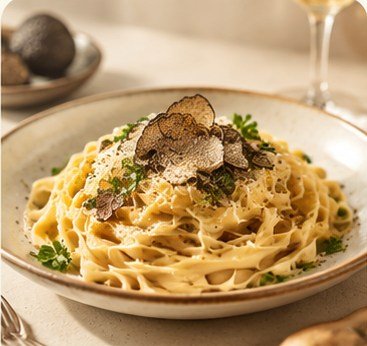
Tagliatelle with fresh tomatoes, rocket, Parmesan and a touch of truffle oil.
Example. In real use, Mino works with the dishes you've added yourself.
A new menu in 3 steps.

And rather hard-working.
Why Mino?
Mino can't do everything. He can do menus. But he knows them inside out, including where to keep his hands off.

What you say. What Mino does.
Mino works with the dishes in your catalogue: he puts menus together, adds to them, moves dishes from one menu to another, translates and designs. Here's how that sounds day to day.
Mino is included from the Pro plan upwards. He uses points from your monthly allowance: 300 a month on Pro, 900 on Business.
Prices and availability are your business. That's why Mino doesn't change them and never puts anything live. Each takes just two taps.
- Change prices in the catalogue. Under Products, on the dish itself. Mino deliberately never touches your prices.
- A dish has run out. One tap on the switch next to the dish, and the menu shows it as sold out.
- Show the Wednesday menu on Wednesdays only. Choose the days of the week in the menu settings.
- Happy Hour. The times under Times, the discount in the menu settings.
- Go live. Everything Mino creates starts as a draft. You decide when it goes live.
- Only for your menus
- No training
- Only when you ask
- Guest data stays here
Mino runs on a language model by Anthropic. What gets shared is set out in our privacy policy.
